
The $2.8 Million Question That Could Have Been Answered with a Rendering
Last month, I watched a commercial developer break ground on a mixed-use development in the financial district—only to discover three months into construction that the glazing system they’d specified created such severe solar heat gain that the HVAC system would need a complete redesign. The change orders exceeded $2.8 million.
This catastrophic oversight could have been caught with a single photometric analysis embedded in a comprehensive 3D visualization during the design development phase.
After a decade of leading architectural projects ranging from $50 million commercial towers to bespoke luxury residences, I’ve seen this pattern repeat: clients who view 3D rendering as an expensive “nice-to-have” often pay 10–15 times more fixing problems that visualization would have revealed before the first shovel hit dirt.
If you’re a luxury homeowner planning a significant renovation, a commercial developer evaluating a site acquisition, or a real estate investor analyzing the highest-and-best-use scenario, understanding what modern 3D rendering and visualization actually include—and why they’ve evolved far beyond “pretty pictures”—is essential to protecting your investment and accelerating your approvals.
What Is 3D Rendering, and Why It’s Not Just “Making Things Look Nice”
The Technical Definition
3D architectural rendering is the process of creating two-dimensional images or animations from a three-dimensional digital model using specialized software that simulates real-world physics—light behavior, material properties, atmospheric conditions, and spatial relationships.
But here’s what that actually means for your project:
3D rendering is the bridge between abstract architectural drawings and the built reality. It’s a risk-mitigation tool disguised as a marketing asset. When executed properly by an experienced architectural firm, rendering serves three critical functions simultaneously:
- Design validation – Testing whether your spatial concepts actually work before construction
- Stakeholder communication – Eliminating the “I thought it would look different” conversations that derail projects
- Regulatory preparation – Providing planning commissions and zoning boards with the clarity they need to approve complex variances
Visualization vs. Rendering: Understanding the Distinction
While often used interchangeably, there’s a meaningful difference:
- Rendering is the technical process—the computational generation of images from 3D models
- Visualization is the strategic outcome—the comprehensive visual communication package that includes renderings, but also incorporates site context, materiality studies, lighting analyses, and often, interactive experiences
Think of it this way: rendering is the engine; visualization is the complete vehicle that gets your project from concept to certificate of occupancy.
What Does Professional Architectural Rendering Actually Include?
1. Photorealistic Exterior Renderings
What they are: High-resolution images (typically 6000+ pixels wide) showing your building in its actual site context, with accurate sun studies, landscaping, and surrounding structures.
What’s technically involved:
- Site integration modeling – We don’t just drop your building onto a blank plane. We model the actual topography, existing structures, street furniture, and vegetation using GIS data and site surveys
- Atmospheric rendering – Accurate sky models based on geographic coordinates and time of day, including volumetric fog, atmospheric scattering, and weather conditions
- Photometric lighting – Calculation of actual luminance values based on real-world light fixtures and IES data files
- Physical material simulation – Not just “textures,” but accurate BRDF (Bidirectional Reflectance Distribution Function) models that show how materials like limestone, bronze, or low-E glazing actually interact with light
Why it matters: I recently worked with a client who wanted floor-to-ceiling glass on their ocean-view elevation. The renderings revealed that the late afternoon sun would create unbearable glare in their primary living spaces—something that wasn’t obvious in the floor plans. We adjusted the glazing strategy, saving them approximately $180,000 in automated shading systems they would have needed otherwise.
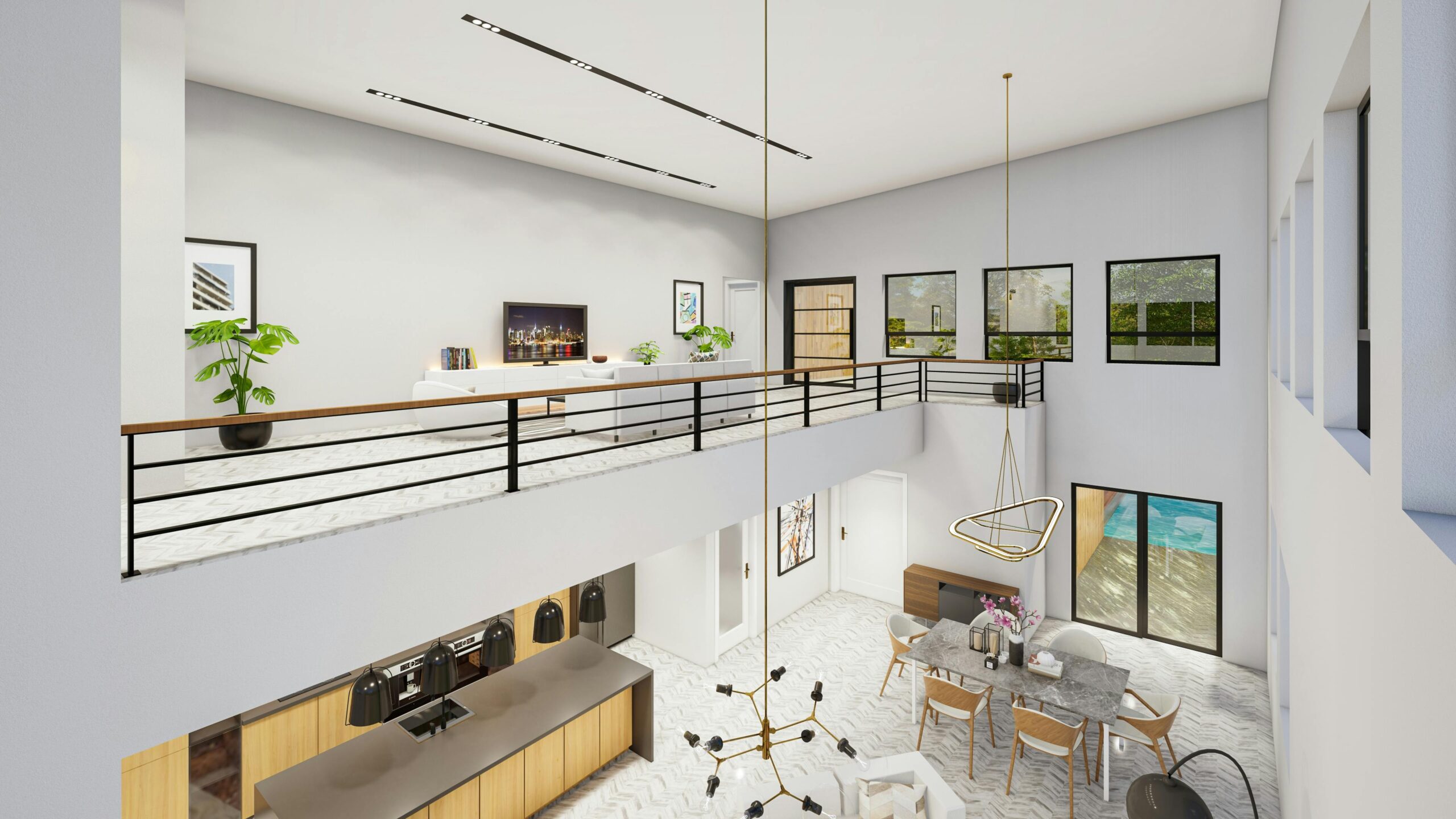
2. Interior Renderings and Spatial Studies
What they include:
- Human-scale perspectives – Views from the exact eye level (typically 5’6″ seated, 5’9″ standing) showing how spaces will actually feel
- Material transition details – The critical junctions where stone meets wood, where casework meets walls, where your expectations often diverge from reality
- Lighting scenarios – Daylight-only, artificial-only, and combined lighting conditions showing how your spaces function at different times
- Furniture and fixture specification – Not generic placeholders, but actual specified pieces with accurate dimensions
The insider detail most firms miss: Ceiling heights feel dramatically different in renderings than in CAD drawings. A 10-foot ceiling with a bulkhead detail might read as generous on paper but feel oppressive when you see it in realistic proportion with your furniture. We build these renderings at a 1:1 pixel-to-inch ratio on 27-inch monitors specifically to catch these spatial issues.
3. Material and Finish Visualization
This is where luxury projects separate from commodity construction:
- Material libraries with physical accuracy – Not stock textures, but custom-scanned materials from your actual specified products
- Weathering and patina simulation – How will that Corten steel look after two years? What about limestone after a decade of acid rain?
- Sample board correlation – Renderings that precisely match your physical material samples, eliminating the “it looked different on screen” problem
Common mistake I see: Developers choosing materials based on how they look in CAD blocks or on a material rep’s website. A $300/square-foot stone cladding system that looks elegant in isolation can read as monolithic and institutional at building scale. Renderings at multiple scales and lighting conditions reveal these issues before you’ve signed the purchase order.
4. Aerial and Contextual Views
What sophisticated clients request:
- Drone-perspective renderings – Matching the exact viewpoints you’d get from aerial photography, crucial for marketing high-rise units or campus developments
- Neighborhood integration studies – Showing how your building respects (or intentionally contrasts with) the surrounding architectural character—essential for getting historic district approvals
- Massing studies – Multiple design options shown from key viewpoints, allowing you to make informed decisions about building height, setbacks, and articulation
5. Animation and Virtual Walkthroughs
For projects over $5 million, static images often aren’t sufficient:
- Architectural flythrough animations – Typically 2–3 minutes, showing approach sequences, public spaces, and signature interiors
- Real-time virtual reality – Interactive models that allow you to walk through at 1:1 scale, test furniture layouts, and experience spatial flow
- Sun study animations – 24-hour or seasonal animations showing shadow impacts on outdoor spaces, solar heat gain on facades, and daylighting in interiors
Why this matters for developers: A real estate investment group I work with uses VR walkthroughs to pre-lease commercial space 8–12 months before construction completion. They’ve achieved 60% pre-lease rates before breaking ground, dramatically reducing their carry costs and improving their debt service coverage ratios.
6. Technical Visualization Tools Often Overlooked
Daylighting analysis renderings:
- Illuminance maps showing foot-candle levels across floor planes
- Annual sun path diagrams overlaid on your building elevations
- Glare probability studies for workspace optimization
These aren’t just architectural indulgences—they’re increasingly required for LEED certification, WELL Building Standard compliance, and local energy codes.
Thermal envelope visualization:
- Infrared-spectrum renderings showing potential thermal bridging
- Condensation risk zones at material transitions
- Heat loss/gain through glazing systems at different orientations
Zoning compliance documentation:
- Height plane diagrams superimposed on renderings
- Setback and stepback requirements visualized in 3D
- Shadow studies required by many urban planning departments
The 3D Rendering Process: What to Expect When Working with Our Firm
Phase 1: Project Brief and Asset Gathering (Week 1)
We begin by collecting:
- Complete architectural drawings (plans, sections, elevations)
- Site survey and topographic data
- Material specifications and finish schedules
- Any existing photography of the site
- Your vision references and aspirational imagery
Insider tip: The quality of your input directly determines the quality of output. Clients who provide comprehensive specifications get renderings that require minimal revisions. Those who say “just make it look good” typically go through 3–4 revision rounds and spend 40% more.
Phase 2: 3D Modeling and Scene Setup (Weeks 2-3)
Our team:
- Builds the architectural model to precise scale
- Models site context within a 500-foot radius
- Establishes camera viewpoints based on project goals
- Sets up accurate geographic and temporal lighting conditions
What differentiates senior-level work: We don’t just model what’s in your drawings—we catch coordination issues between disciplines. If your structural drawings show a column that conflicts with your architect’s fully glazed corner detail, we flag it now, not at the shop drawing phase.
Phase 3: Material Development and Lighting (Week 3-4)
- Custom material creation matching your actual specifications
- Physical lighting simulation using manufacturer IES data
- Atmospheric effects calibrated to your climate zone
- Entourage elements (people, cars, landscaping) appropriate to your project’s market positioning
Phase 4: Rendering and Post-Processing (Week 4-5)
- High-resolution rendering (typically 12–48 hours of computation per image for photorealistic quality)
- Post-production color correction and composition
- Multiple exposure and weather variants if requested
Phase 5: Client Review and Refinement (Week 5-6)
You receive:
- Full-resolution images (typically 8000×4500 pixels, suitable for 6-foot-wide prints)
- Web-optimized versions for your marketing team
- Detailed revision notes template
- One comprehensive revision round included, with a la carte options for additional changes
Typical timeline: 6-8 weeks for a complete visualization package. Rush services available for permit deadlines, though I strongly recommend against it—hasty visualization often misses the very conflicts they’re meant to catch.
What Professional-Grade Rendering Costs (and Why the Price Variance is Enormous)
The Pricing Spectrum
Entry-level freelancer: $500–$1,500 per image
- Stock materials and generic entourage
- Limited revisions
- No technical coordination review
- Suitable for preliminary marketing only
Mid-tier visualization studio: $3,000–$8,000 per image
- Custom materials
- Some site-specific context
- Professional post-processing
- Adequate for most residential projects
Architectural firm with in-house rendering (our approach): $8,000–$15,000 per image
- Complete architectural coordination
- Site-specific accuracy
- Material specification validation
- Technical analysis integration
- Suitable for high-stakes approvals and luxury marketing
Cinematic/film-quality rendering: $20,000–$50,000+ per image
- Extraordinary detail and realism
- Custom vegetation modeling
- Advanced particle effects
- Typically for signature projects and international competitions
What Drives the Cost?
- Resolution and detail level – An 8K rendering requires 4x the computation of 4K
- Scene complexity – A building with 200 units of custom millwork versus painted drywall
- Site context accuracy – Generic background vs. surveyed, modeled neighborhood
- Material complexity – Stock textures vs. physically accurate, custom-scanned materials
- Revision expectations – One included round vs. unlimited “can we try this instead?”
The false economy I see repeatedly: Clients who choose the $1,500 freelancer option, then spend $12,000 on revisions trying to get it to match their actual vision, when a $10,000 investment with an experienced architectural visualization team would have delivered the right result in one iteration.
Common Mistakes That Cost Clients Tens of Thousands (and How to Avoid Them)
Mistake #1: Ordering Renderings Before Your Design Is Sufficiently Developed
The problem: You see beautiful marketing renderings and want them immediately, but your design documents are only 50% complete.
Why it’s costly: Every rendering is based on hundreds of design decisions—window sizes, material transitions, lighting fixture locations, ceiling details. If these aren’t finalized, you’ll pay for the initial rendering, then pay again to update it when your design evolves.
The fix: Wait until you’re at minimum 70% Design Development. The extra two months of patience will save you $15,000–$30,000 in revision fees.
Mistake #2: Treating Renderings as Separate from Your Architectural Documentation
The problem: You hire a visualization specialist who isn’t coordinating with your architect of record.
Why it’s costly: The rendering shows a cantilevered balcony that looks dramatic but violates your zoning setback. Or it depicts a glazing system your structural engineer hasn’t approved. Now you’ve created marketing materials that promise something you can’t deliver.
The fix: Rendering should be an integrated service within your architectural team. Every image we produce goes through structural and building code review before you see it.
Mistake #3: Choosing Viewpoints Based on “What Looks Cool” Rather Than Strategic Communication
The problem: Your rendering package shows the building from a dramatic helicopter angle that’s impossible to actually experience.
Why it’s costly: For zoning approvals, planning commissioners want to see the view from the street—from a pedestrian’s perspective. For high-rise condo sales, buyers want to see their actual unit views, not the building exterior. Renderings that miss your stakeholder’s perspective waste your budget.
The fix: Before selecting camera angles, ask: “Who needs to be convinced, and what do they need to see?” A mixed-use developer typically needs: street-level commercial frontage, residential lobby approach, typical unit interiors, and rooftop amenity spaces. Every image should answer a stakeholder question.
Mistake #4: Underestimating the Importance of Entourage and Context
The problem: Your building looks perfect, but it’s floating in a void with generic people and cars from 2015.
Why it’s costly: Subconscious signals matter. If your $40 million luxury development has rendering entourage (people, cars, landscaping) that reads as middle-market, you’ll struggle to hit your price points. If you’re seeking approvals in a neighborhood concerned about character compatibility, context-free renderings suggest you don’t respect the community.
The fix: Budget 20–30% of your rendering costs for high-quality, context-appropriate entourage. For a waterfront luxury condo, that means contemporary boats in the marina, Tesla’s and Range Rovers at the curb, and figures styled for your demographic. For urban infill, it means accurate street trees, existing building context, and pedestrian life that matches the neighborhood’s actual character.
Mistake #5: Not Planning for Multiple Use Cases
The problem: You commission beautiful 8K renderings optimized for a 40×60 inch lobby print, but now your marketing team needs vertical-format images for Instagram, and your PR firm needs ultra-wide panoramas for magazine spreads.
Why it’s costly: Re-rendering in different aspect ratios isn’t just “cropping”—it requires re-composing the entire scene, adjusting lighting, and re-calculating. Each variant costs nearly as much as the original.
The fix: During your initial brief, map out every use case: investor presentations (16:9), website hero images (21:9), social media (1:1 and 4:5), print marketing (varied), and planning submissions (often 11×17 format). Render multiple compositions simultaneously while the scene is set up. The marginal cost per additional angle is 40% of the first image—a significant savings over sequential orders.
Insider Tips from a Decade of High-Stakes Visualization
Tip #1: Specify “Overcast Day” Renderings for Material-Driven Projects
Direct sunlight creates dramatic shadows that photograph beautifully but obscure material nuance. For projects where stone detailing, brick patterning, or textured concrete is central to your design concept, request overcast lighting conditions that show material character without shadow distraction.
I learned this the hard way on a limestone-clad cultural building. The sunny-day renderings looked stunning but completely washed out the subtle fossil patterns in the stone that justified the $800/sf facade cost.
Tip #2: Request “Clay Render” Passes for Stakeholder Presentations
A clay render (also called a “massing study render”) shows your building as a solid, matte object without materials—just form and light. This is invaluable for:
- Early zoning conversations where you want officials focused on scale and height, not materials
- Design committee reviews where you’re testing multiple massing options
- Community meetings where material specificity is premature
Clay renders cost about 30% of full photorealistic images but communicate spatial concepts more clearly for early-phase decisions.
Tip #3: Build a “Rendering Specification” Document
Before you brief your visualization team, create a one-page document that specifies:
- Required camera angles with priority ranking
- Time of day and season (this affects vegetation, shadows, and marketing vibes)
- Weather conditions (sunny, overcast, dusk, night)
- Entourage style references (lifestyle imagery showing your target demographic)
- Technical deliverables (if daylighting analysis or shadow studies are needed)
This eliminates the “I assumed you knew” conversations that derail schedules. Our clients who provide clear specs receive first-round renderings that require minimal revision 80% of the time.
Tip #4: Time Your Renderings Strategically with Your Construction Phasing
For developers: commission initial renderings for zoning approvals and investor presentations, then update them at two key milestones:
- Post-GMP (Guaranteed Maximum Price): When your contractor has value-engineered certain elements, update renderings to reflect actual built conditions
- Six months before delivery: For final marketing materials with accurate as-built conditions
This staged approach costs 30% more than doing everything upfront, but eliminates the awkward situation where your marketing shows brick that you substituted with fiber cement panels to make budget.
Tip #5: Use Renderings to Pressure-Test Controversial Design Decisions
Before you commit to that bold cantilever, dramatic roof form, or unprecedented material palette, render it from the perspectives of your harshest critics:
- From the adjacent neighbor’s second-floor windows
- From the street at the exact angle planning commissioners will see during site visits
- At night, showing how your lighting strategy reads
I once advised a client to render their proposed 12-story tower from the backyard perspective of the neighboring historic home—a view that wasn’t required for zoning submissions. The rendering revealed that our tower would loom oppressively over their garden. We adjusted the massing, won neighbor support, and sailed through approvals that typically take 18 months in six months. The $4,500 rendering investment saved approximately $200,000 in holding costs.
How Rendering Integrates with Your Broader Project Delivery
For Luxury Homeowners: Design Confidence Before Groundbreaking
Your primary risk is the “I thought it would look different” realization that happens at drywall stage—when changes cost 10x what they would have during design.
Typical visualization package for a $5M+ custom home:
- 6–8 exterior views showing approach sequences and landscape integration
- 8–12 key interior spaces (living areas, kitchen, primary suite, statement spaces like wine cellars or home theaters)
- Material detail studies of critical transitions (stone to millwork, flooring transitions, ceiling coffering)
- Lighting studies showing daytime and evening ambiance
- Investment: $80,000–$150,000
- ROI: Elimination of costly field changes and divorce-inducing design disagreements
For Commercial Developers: De-Risking Entitlements and Pre-Leasing
Your primary risks are approval delays and market acceptance.
Typical visualization package for mixed-use development:
- Street-level pedestrian perspectives for planning approvals
- Shadow studies demonstrating compliance with solar access requirements
- Contextual bird’s-eye views showing neighborhood integration
- Commercial frontage renderings for retail leasing
- Residential unit interior renderings for pre-sales
- Amenity space visualizations (rooftop deck, fitness center, lobby)
- Investment: $120,000–$300,000 for comprehensive package
- ROI: 3–6 month acceleration of approvals = $500K+ in holding cost savings; 40–60% pre-lease rates before construction completion
For Real Estate Investors: Due Diligence and Feasibility Validation
Your primary risk is acquiring a site with development constraints that kill your pro forma.
Typical visualization package for site acquisition:
- Massing studies showing zoning envelope compliance
- Multiple design options testing highest-and-best-use scenarios
- Market-appropriate renderings for feasibility discussions with lenders
- Investment: $40,000–$80,000 during due diligence period
- ROI: Clear go/no-go decisions before you’re non-refundable on a $15M land acquisition
The Future of Architectural Visualization: What’s Emerging
Real-Time Rendering Engines
The gap between gaming technology and architectural visualization is closing rapidly. Unreal Engine and Unity now power real-time walkthroughs where you can change materials, lighting, and furniture on-the-fly during client meetings. This eliminates the “render and wait” bottleneck.
What this means for you: Design iteration cycles compress from weeks to hours. We’re seeing 50% reduction in time-to-approval for complex projects.
AI-Assisted Visualization
Recent developments in generative AI allow us to produce dozens of design variations from a single 3D model, then refine the most promising options to photorealistic quality.
The limitation nobody talks about: AI renderings currently lack the technical precision required for construction documentation coordination. They’re excellent for early concept exploration but can’t replace traditional rendering for later-stage approvals and marketing.
Augmented Reality On-Site Visualization
We now overlay proposed designs onto actual sites using AR tablets. Walk your site and see your building at 1:1 scale, in actual lighting conditions.
Where this excels: Convincing zoning boards that your building respects neighborhood scale, and helping clients understand grading and landscaping changes that are invisible in traditional renderings.

Taswar Hussain
Frequently Asked Question - FAQs
For a comprehensive visualization package (8–12 images), expect 6–8 weeks from project briefing to final delivery. This includes 3D modeling, material development, rendering computation, post-processing, and one revision round. Rush services can compress this to 3–4 weeks for an additional 40–60% fee, though quality may be compromised. Single images can be produced in 2–3 weeks.
The timeline depends on design document completeness—projects with 70%+ Design Development documentation render 50% faster than those at Schematic Design stage due to fewer specification unknowns.
3D rendering produces static images—highly detailed photographs of your future building from specific viewpoints. Virtual tours (or walkthroughs) are animated experiences where you move through the building over time, either as pre-programmed animation (flythrough) or interactive real-time navigation (VR).
Cost-wise, a single static rendering ranges from $8,000–$15,000 for architectural-quality work. A 2–3 minute animated walkthrough typically costs $80,000–$150,000 due to the exponential increase in modeling detail and rendering computation. Real-time VR experiences fall in the $60,000–$120,000 range depending on interactivity complexity.
For most projects under $10M, static renderings provide superior cost-benefit. Above that threshold, the pre-sales and approval acceleration from immersive visualization typically justifies the investment.
Absolutely—and increasingly, they're expected or even required. Many planning departments now mandate:
- Shadow studies showing seasonal shadow impacts on neighboring properties and public spaces
- Contextual elevations demonstrating architectural compatibility with surrounding structures
- Sight line studies from public viewpoints, especially in historic districts
- Daylighting analysis for energy code compliance and LEED certification
These technically-focused renderings differ from marketing renderings. They prioritize diagrammatic clarity over aesthetic beauty, often incorporating analytical overlays (height planes, sun angles, illuminance values) that planning officials need to make informed decisions.
One critical note: ensure your renderings are based on your actual stamped architectural drawings. Any discrepancies between your permit documents and your renderings will raise red flags and can delay approvals by months.
This is one of the most consequential decisions you'll make, and the wrong choice costs clients $30,000–$60,000 in coordination failures and rework.
Choose an independent visualization specialist when:
- Your architect doesn't offer rendering services
- You need film-quality renderings for international competitions or high-profile marketing campaigns
- Your project is sufficiently straightforward that coordination risk is minimal
Choose your architect's in-house rendering team when:
- Your project has any technical complexity (custom structural systems, complex building envelope, intricate MEP coordination)
- You're in entitlement phases where renderings need to match permit documents exactly
- You want renderings to serve double duty as design validation tools
- You're working on a fast-track schedule where communication lag between separate firms creates bottlenecks
The coordination advantage cannot be overstated. When rendering is integrated into your architectural team, we catch conflicts in real-time: "This rendering shows a structural beam that interferes with your glazing—let's fix it now." External visualization specialists rarely have the technical depth to identify these issues until construction, when corrections cost 50–100x more.
Standard deliverables include:
- High-resolution TIFF or PNG files (8000×4500+ pixels, uncompressed, suitable for large-format printing)
- Web-optimized JPEGs (2400px wide, compressed for website use)
- Vector PDFs for shadow studies and technical diagrams
- Raw rendering files (upon request and additional fee, allowing for future updates)
Regarding ownership: This varies by contract and should be explicitly negotiated upfront. Standard terms:
Limited license (most common): You have unlimited rights to use the images for marketing, presentation, and documentation of this specific project. The architectural firm retains copyright and portfolio rights. You cannot resell the images or use them for unrelated projects.
Full copyright transfer (premium service): You own the images outright and can use them for any purpose. Typically adds 25–40% to the project cost and requires the firm to surrender portfolio rights.
Subscription model (emerging): For developers with ongoing projects, some firms offer rendering-as-a-service agreements where you pay monthly for allocated rendering hours and receive limited-use licenses for all generated content.
My recommendation: For single projects, the limited license is most cost-effective and provides everything you need. For developers with a multi-building portfolio, negotiating portfolio-wide image rights upfront provides better value than licensing project-by-project.